


Metric Definition
Metric Definition step is responsible for deciding how the metric calculation is to be performed.
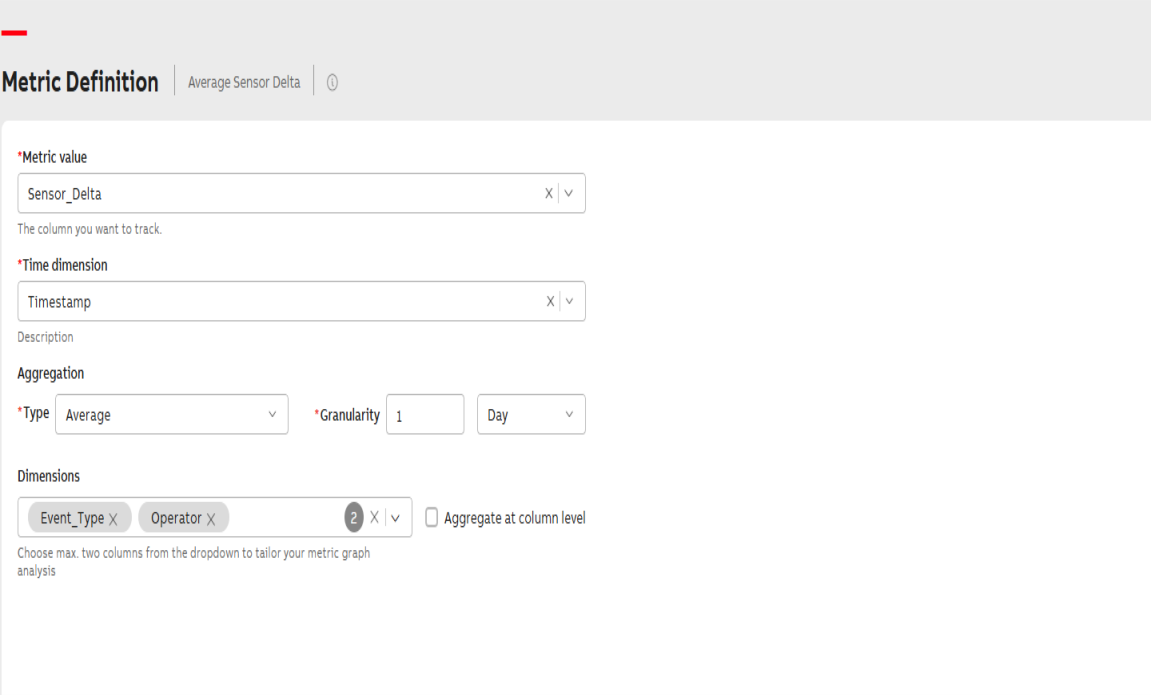
Metric Defination
To enter information into the Metric Definition step:
-
Select the Metric value
Click the Metric value dropdown and choose the numerical column you want to track. This column is used for calculations. If only one numerical column is available, it is selected automatically.
-
Select the Time dimension
Click the Time dimension dropdown and choose the appropriate date-time column. This column defines the x-axis for your metric.
- Choose the Aggregation Type
Click the Type dropdown and select an aggregation method for the metric value. The available options are
-
Sum- It is the sum of all values captured over the aggregation interval.
-
Min - The smallest value captured over the aggregation interval.
-
Max- The largest value captured over the aggregation interval.
-
Avg- The average of metric values captured over aggregation interval.
-
Count- The number of measurements captured over the aggregation interval.
-
First- The initial value of the aggregation interval.
-
Last- The last value of the aggregation interval.
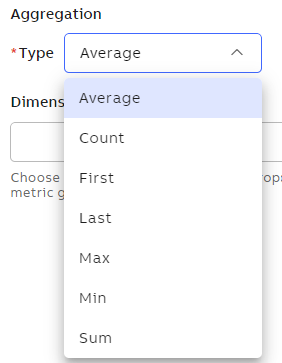
Aggregation
-
-
Set Aggregation Granularity
Click the Granularity dropdown and choose the desired level of aggregation—Day, Week, or Month. You can also adjust the level of granularity using the increase/decrease controls.
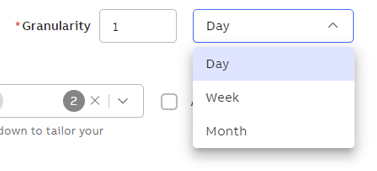
Granularity
-
Configure Dimensions
Click the Dimensions dropdown and select the checkbox for the dimensions you want to use in the analysis.
Dimensions allow you to slice and dice the data, enabling analysis across up to two selected fields.Aggregate at Column Level
-
checked
You can view aggregations for the entire column without any dimension filters applied.
You also have the flexibility to apply or remove dimension filters later in the Display Configuration step.
-
unchecked
Aggregation is shown with a dimension filter applied by default, based on the first selected dimension.
While you can modify this dimension, you cannot remove all filters completely—at least one dimension filter must remain active.
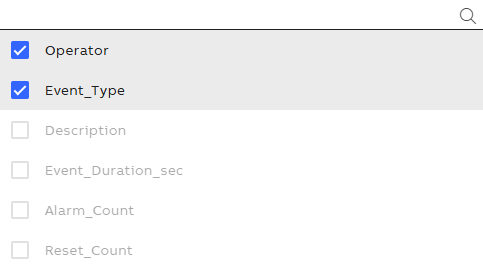
Dimensions
-
-
Click Save.
-
Click Next.