


Delete Metrics
Deleting a metric involves removing the metric and all associated data from your system. The metric can be deleted only by the owner of the metric.
Metrics can be deleted using either of the following ways:
-
Delete the metric from the Metrics List screen
-
Navigate to Metrics List screen.
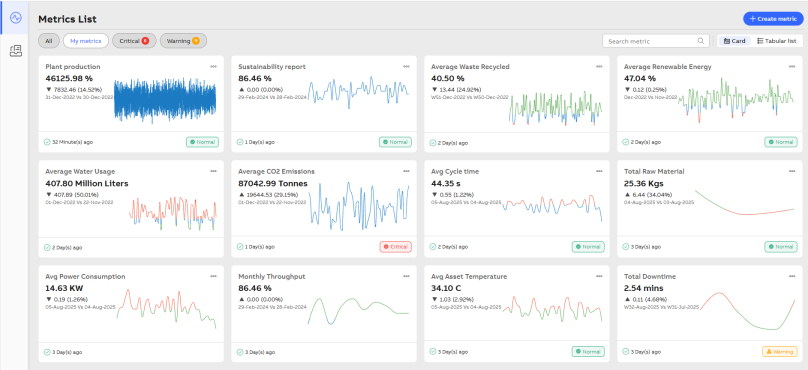
Metric List
-
Select the metric that you want to delete.
-
Click View more (three dots).
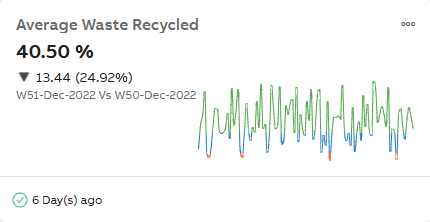
View More
-
Click Delete.
In the Delete metric dialog box , Click Yes, delete it. The metric gets deleted.
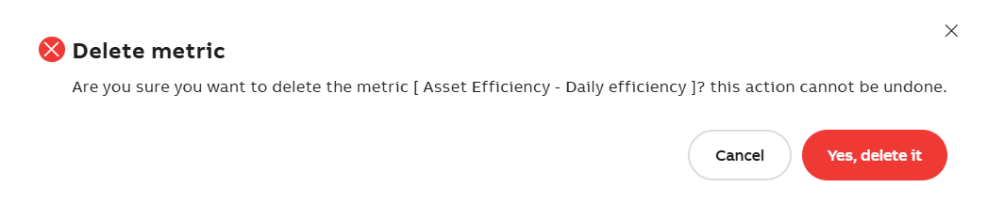
Delete Metric
-
Delete the metric from the Metric Catalog screen
-
Navigate to Metric Catalog.
-
Select the category.
-
Enable the checkbox for the desired metric from the Metrics list.

Selected Metric
-
Click Delete.
In the Delete metric dialog box, Click Yes, delete it.
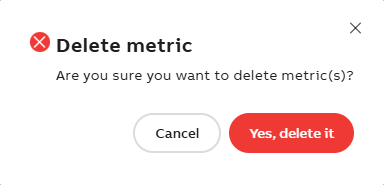
Delete Metric
-