


Expressions
To provide data visualization based on conditions that can be built upon logical operators.
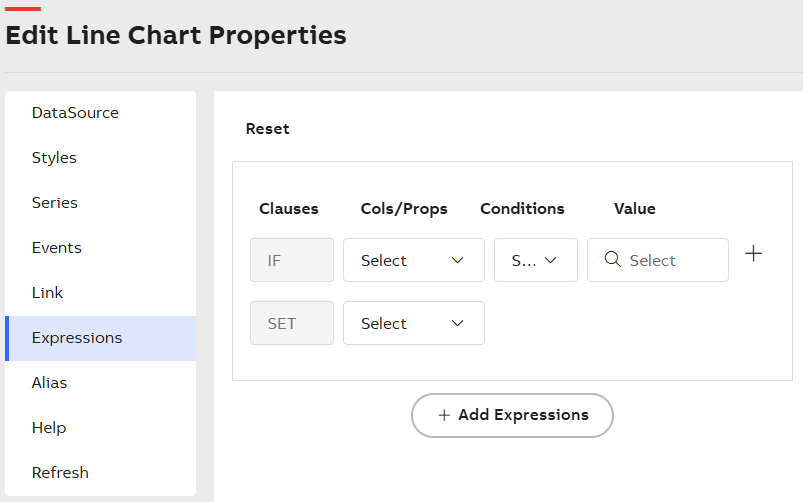
Expressions
To configure the expressions
-
Click + Add Expressions to add an expression.
-
Enter the required details for the following options.
Option
Description
Clauses
Select from the available clauses: IF, AND, OR, and SET.
Cols/Props
Select a column or property from the dropdown list, based on data source and styles.
Conditions
Select a logical operator for the conditional check from the drop-down list. Conditions can be applied to string, boolean, numeric, and alphanumeric values (for example, Month). When the condition is satisfied, options are provided based on the selected style properties.
Value
Enter a value to evaluate the condition. The value can be numeric or text. For SET clauses, the Value field changes based on the selected properties, such as color series and title.
-
Click X to remove the expression.
-
Click Reset button to remove all added expressions.
-
It is possible to add multiple expressions and define multiple conditions for each expression.
-
If an expression is satisfied, the corresponding configured column or property is applied.
-
If an expression is not satisfied, the next expression is evaluated.